Zephyr Project - Hello_World on Arduino due
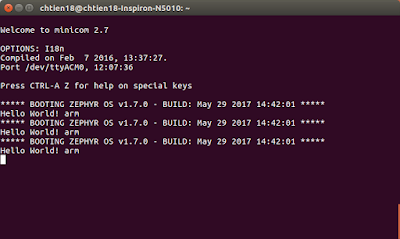
Running Hello_world demo ( based on Zephyr RTOS ) on Arduino Due - Host Computer: Ubuntu 16.04 LTS 64-bit - Device: Arduino Due 1. Setup development environment - Update your OS $ sudo apt-get update $ sudo apt-get upgrade - Install requirements $ sudo apt-get install git make gcc g++ python3-ply ncurses-dev \ python3-yaml python2.7 dfu-util - Install the Zephyr SDK * Download the latest SDK self-extractable binary. $ wget https://github.com/zephyrproject-rtos/meta-zephyr-sdk/releases/download/0.9.1/zephyr-sdk-0.9.1-setup.run * Run the installation binary $ chmod +x zephyr-sdk-0.9.1-setup.run $ ./zephyr-sdk-0.9.1-setup.run * To use the Zephyr SDK, export the following environment variables and use the target location where SDK was installed, type: $ export ZEPHYR_GCC_VARIANT = zephyr $ export ZEPHYR_SDK_INSTALL_DIR = /opt/zephyr-sdk/ 2. Download Zephyr project $ git clone https://github.co...